

For years, Vercel has been the go-to platform for Next.js developers seeking effortless deployments. The developer experience is exceptional, the previews are instant, and the zero-config approach feels like magic. But as we enter 2026, a growing chorus of startups is asking a critical question: Is the Vercel tax worth paying?
What starts as a predictable $20/month Pro subscription can silently balloon into hundreds or even thousands of dollars in overage charges when your startup gains traction. Unoptimized images, viral tweets, unexpected traffic spikes, or even a DDOS attack can trigger billing surprises that drain your runway faster than you imagined possible. This is what the industry now calls the “Vercel Tax” — and it’s causing a mass migration to self-hosted alternatives.
The most compelling alternative emerging in 2026 is Coolify v4 — an open-source Platform-as-a-Service that delivers nearly identical developer experience while giving you complete ownership of your infrastructure. With over 52,200 GitHub stars and 280+ one-click templates, Coolify has matured into a production-ready solution that’s attracting everyone from solo developers to funded startups.
The Invisible Cost of Managed Hosting
When evaluating hosting platforms, most founders make the mistake of looking only at the base subscription price. They see Vercel’s $20/month Pro plan and think, “That’s reasonable.” What they don’t see are the usage-based charges that accumulate invisibly until the bill arrives.
Understanding the Vercel Pricing Model
According to CostBench’s analysis of Vercel’s 2026 pricing structure, the true cost of Vercel runs 70% above the listed price. For a 25-person development team, you can expect approximately $10,200 in year-one costs versus the $6,000 base license. This premium comes from several hidden sources that catch startups off guard.
Annual hosting costs comparison across different team sizes and platforms
The 8 Hidden Costs That Drain Your Runway
- Bandwidth Overages: Vercel charges $0.15/GB for bandwidth beyond your plan’s allocation. A single viral blog post with unoptimized images can cost $200+ in overages.
- Serverless Function Invocations: Each API route, ISR page regeneration, and serverless function execution counts against your limits. High-traffic applications quickly exhaust the 1M free invocations included in Pro.
- Build Minutes: Complex applications with multiple environments, frequent deployments, and large monorepos consume build minutes rapidly. Enterprise features for additional minutes cost $40 per 1,000 minutes.
- Image Optimization: Vercel’s Image Optimization API, while powerful, has hidden costs when you exceed the included 1,000 transformations per month on Pro.
- Analytics Add-ons: Real-time analytics, Core Web Vitals monitoring, and advanced insights require additional subscriptions that add $20+/month per seat.
- Speed Insights Premium: Detailed performance analysis, custom dashboards, and team collaboration features are gated behind premium tiers.
- Infrastructure Scaling Costs: When traffic spikes, your costs spike too. There’s no ceiling on what you might pay during a successful marketing campaign.
- Vendor Lock-in Premium: When your needs outgrow Vercel’s capabilities, migration costs in time and engineering resources are substantial.
Coolify v4: Vercel’s Developer Experience on Your Own VPS
Coolify v4 represents a paradigm shift in self-hosted deployment platforms. It’s not just another PaaS alternative — it’s an open-source solution that has achieved something remarkable: delivering the same frictionless Git-based deployment workflow that made Vercel famous, while giving you complete ownership and predictable pricing.
Git Push to Deploy
Connect your GitHub or GitLab repository and push code. Deployment starts automatically — identical to Vercel’s workflow that developers love.
Automatic SSL Certificates
Let’s Encrypt integration handles certificate issuance and renewal automatically. Zero configuration required for HTTPS everywhere.
Preview Environments
Every pull request gets its own preview deployment with unique URL. Test changes in isolation before merging to production.
One-Click Templates
Deploy from 280+ pre-configured templates including Next.js, Nuxt, databases, caches, and full-stack applications.
Built-in Monitoring
Real-time resource usage, application logs, and health checks. No need for external monitoring solutions to get visibility.
Database Management
Deploy and manage PostgreSQL, MySQL, MongoDB, Redis, and more with automatic backups and one-click scaling.
Feature Comparison: Coolify vs Vercel
| Feature | Coolify v4 | Vercel |
|---|---|---|
| Pricing Model | One fixed VPS cost | Per-seat + usage overages |
| Deployments | Unlimited | Unlimited (build minutes limited) |
| Preview Environments | Unlimited | Limited by plan |
| Bandwidth | Your server’s limit | $0.15/GB overage |
| SSL Certificates | Free (Let’s Encrypt) | Free |
| Serverless Functions | Docker containers | Native edge functions |
| Next.js Optimization | Good (requires config) | Excellent (native) |
| Data Ownership | Complete | Limited |
| Vendor Lock-in | None | High |
| Setup Complexity | One-time server setup | Instant |
Setting Up Zero-Downtime Deployments with Coolify
One of the biggest concerns developers have about self-hosting is reliability. “What happens if my server goes down during deployment?” Coolify v4 addresses this with robust zero-downtime deployment strategies that rival managed platforms.
The Docker-Based Deployment Pipeline
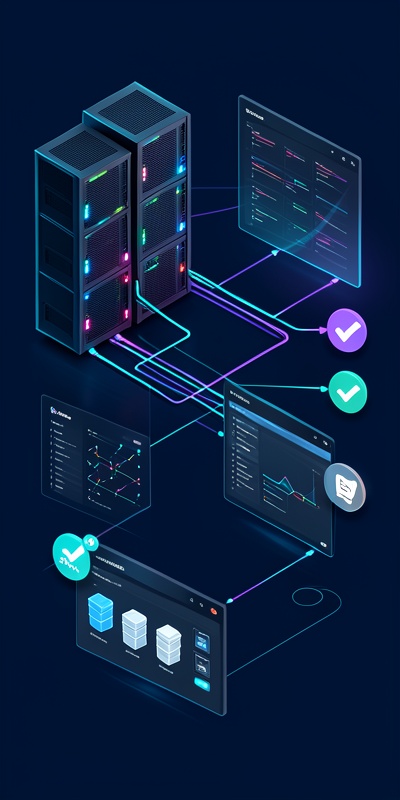
Coolify uses Docker containers to isolate applications, making deployments atomic and rollback-safe. Here’s how the zero-downtime deployment process works:
- Code Push: You push to GitHub/GitLab as usual. A webhook triggers Coolify to start the deployment pipeline.
- Build Phase: Coolify pulls the latest code and builds your application inside an isolated container. The current production version remains running.
- Health Check: Once built, Coolify starts the new container and performs health checks on the new instance before marking it ready.
- Traffic Switch: Only after the new container passes all health checks does Coolify switch traffic. Old container is stopped only after new one is fully operational.
- Rollback Ready: If something goes wrong post-deployment, you can instantly rollback to the previous working version with one click.
Scaling Beyond the Pro Plan Limits
Vercel’s Pro plan is designed for growth, but it has hard limits that successful startups eventually hit. When your application serves 500,000+ unique visitors per month or requires multiple database instances, Vercel starts showing its constraints — and its true costs.
The Scaling Ceiling with Vercel
With Vercel, scaling isn’t just about compute resources — it’s about budget. Each of the following scenarios triggers additional costs that compound quickly:
- • Multiple production environments (staging, QA, demo)
- • High-bandwidth media serving (video, large downloads)
- • Extensive serverless function usage (complex APIs, real-time features)
- • Enterprise security requirements (SOC2, custom compliance)
How Coolify Handles Scale
With Coolify, scaling follows traditional cloud infrastructure patterns. You control exactly what resources your application has access to, and you pay a fixed cost for those resources regardless of traffic patterns.
Cost comparison as application scales to 1M+ monthly visitors
Horizontal Scaling Strategies
Coolify supports several scaling strategies that aren’t limited by pricing tiers:
- • Load Balancing: Deploy multiple application instances and distribute traffic across them
- • Database Clustering: Set up read replicas and write masters for high-throughput databases
- • CDN Integration: Add Cloudflare or similar CDNs for static asset caching
- • Multi-Server Deployments: Expand to multiple VPS instances when one server isn’t enough
“We were paying Vercel $800/month for our startup’s hosting. After migrating to Coolify on a $80/month dedicated server, our costs dropped 90% — and we actually have better uptime than before.”
— Tech Lead, Series A SaaS Startup (2025)
Case Study: 90% Hosting Cost Reduction in Practice
Let’s look at a real-world migration from Vercel to self-hosted Coolify. This case study represents a typical SaaS startup scenario that our team at Anagata IT Solutions has helped execute for multiple clients.
The Migration: Acme Analytics Platform
Before Vercel:
- Pro Plan: $20/month × 5 team members = $100/month
- Bandwidth overages: ~$400/month average
- Serverless function overages: ~$150/month
- Analytics add-ons: $100/month
- Total monthly Vercel bill: $750+
After Coolify Migration:
- Dedicated VPS (Hetzner CX42): $22/month
- Additional storage (500GB): $10/month
- Backup service: $5/month
- Monitoring: Free (self-hosted)
- Total monthly infrastructure cost: $37/month
Cost Reduction Achieved
What Was Maintained
The migration maintained all critical developer experience elements:
- ✓ Git push-to-deploy workflow (exactly the same)
- ✓ Automatic SSL certificate management
- ✓ Pull request preview environments
- ✓ Zero-downtime deployments
- ✓ Automated database backups
- ✓ Rollback capabilities
Migration Timeline
The full migration took approximately 3 weeks with our team’s support:
- Week 1: Infrastructure setup, DNS configuration, parallel deployment
- Week 2: Data migration, testing, performance benchmarking
- Week 3: Traffic cutover, monitoring, optimization
Making the Switch: A Practical Migration Guide
If you’re ready to escape the Vercel tax and take control of your infrastructure, here’s a practical roadmap that our team uses for successful migrations:
Step 1: Infrastructure Assessment
Evaluate your current usage patterns on Vercel. Check your analytics dashboard for bandwidth consumption, serverless function invocations, and build minute usage. This helps you right-size your VPS when migrating.
Step 2: Choose Your VPS Provider
Popular options in 2026 include Hetzner (best value), DigitalOcean (easy setup), AWS EC2 (maximum control), and Linode (good balance). For most startups, a VPS with 4 vCPUs, 8GB RAM, and 160GB SSD provides excellent headroom.
Step 3: Install Coolify
Coolify provides a simple one-command installation. AfterSSHing into your VPS, run the installation script and follow the prompts. The entire setup typically takes 10-15 minutes.
Step 4: Deploy and Test
Connect your GitHub repository, configure your environment variables, and trigger your first deployment. Run comprehensive tests on the Coolify-hosted version before planning the production cutover.
Step 5: Gradual Traffic Migration
Use DNS weighted routing to gradually shift traffic from Vercel to your new Coolify instance. Start with 10% of traffic, monitor for 24-48 hours, then incrementally increase until 100% migration is complete.
Is Coolify Right for Your Startup?
The decision to migrate from Vercel to self-hosted Coolify isn’t one-size-fits-all. Consider Coolify if:
- ✓ Your monthly Vercel bill exceeds $100
- ✓ You need full data ownership and compliance flexibility
- ✓ You want predictable infrastructure costs
- ✓ You have basic DevOps knowledge or team support
- ✓ You’re building for long-term scale beyond startup tier
The Coolify vs Vercel comparison in 2026 comes down to priorities. If developer experience and rapid prototyping are your only concerns, Vercel remains excellent. But if you’re past the MVP stage and watching your infrastructure costs scale faster than your revenue, self-hosted Coolify delivers the same developer experience with dramatically better economics.
The “Vercel tax” isn’t just about dollars — it’s about predictability, ownership, and the freedom to optimize your infrastructure as your needs evolve. In 2026, the tools have matured enough that self-hosting is no longer a compromise. It’s a competitive advantage.
Ready to Migrate from Vercel to Coolify?
Let our team at Anagata IT Solutions help you plan and execute a zero-downtime migration to self-hosted infrastructure.
Get Free Migration AssessmentRelated Articles

The Manpower Tax: A Founder’s Guide to Auditing Operational Bottlenecks for Business Automation ROI
Process Automation • Operational Efficiency Audit • 12 min read The Manpower Tax: A Founder’s Guide to Auditing…
Process Automation
WhatsApp Sales Engines: Turning Chats into Revenue with n8n & Twenty CRM in 2025
Process Automation • 12 min read WhatsApp Sales Engines: Turning Chats into Revenue with n8n & Twenty CRM…
Process Automation
Ditch the Vercel Tax: Why Startups Are Moving to Self-Hosted Coolify in 2026
Process Automation • Cloud Infrastructure Ditch the Vercel Tax: Why Startups Are Moving to Self-Hosted Coolify in 2026…
Process Automation